Factory 1986
A downloadable game for Windows
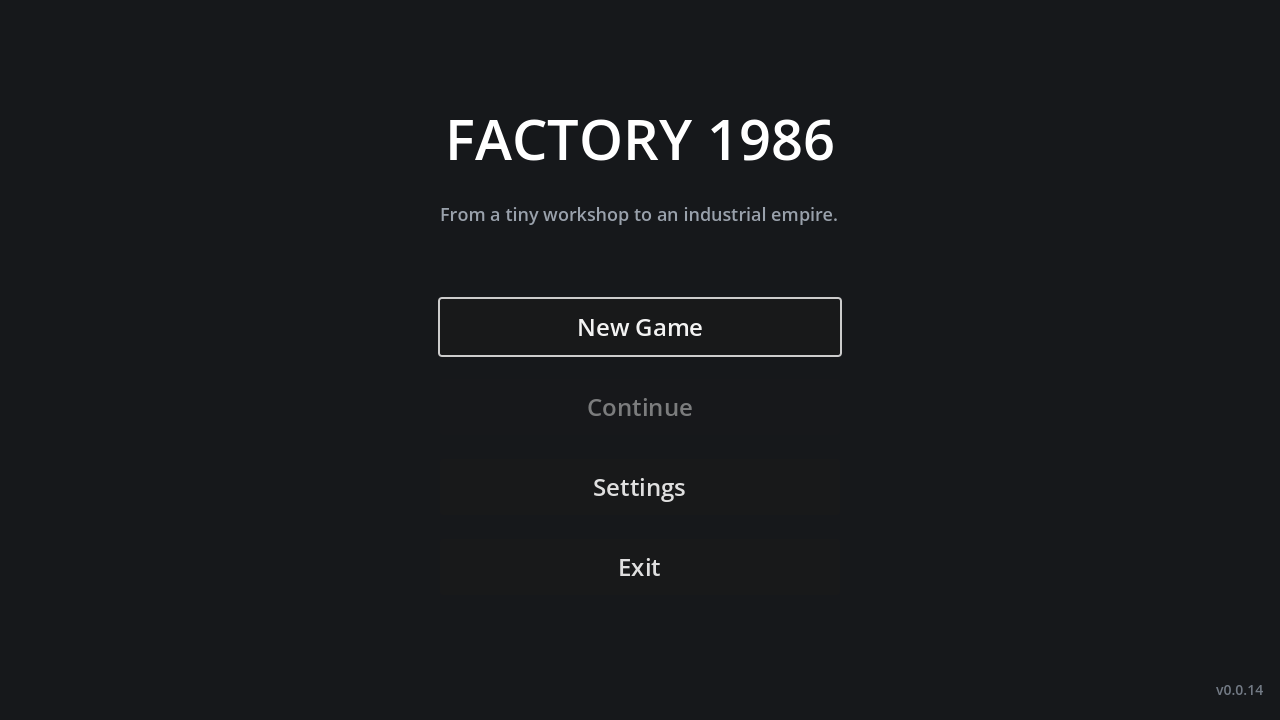
Factory 1986 is a small, focused 2D factory-management game about the first afternoon of an industrial empire.
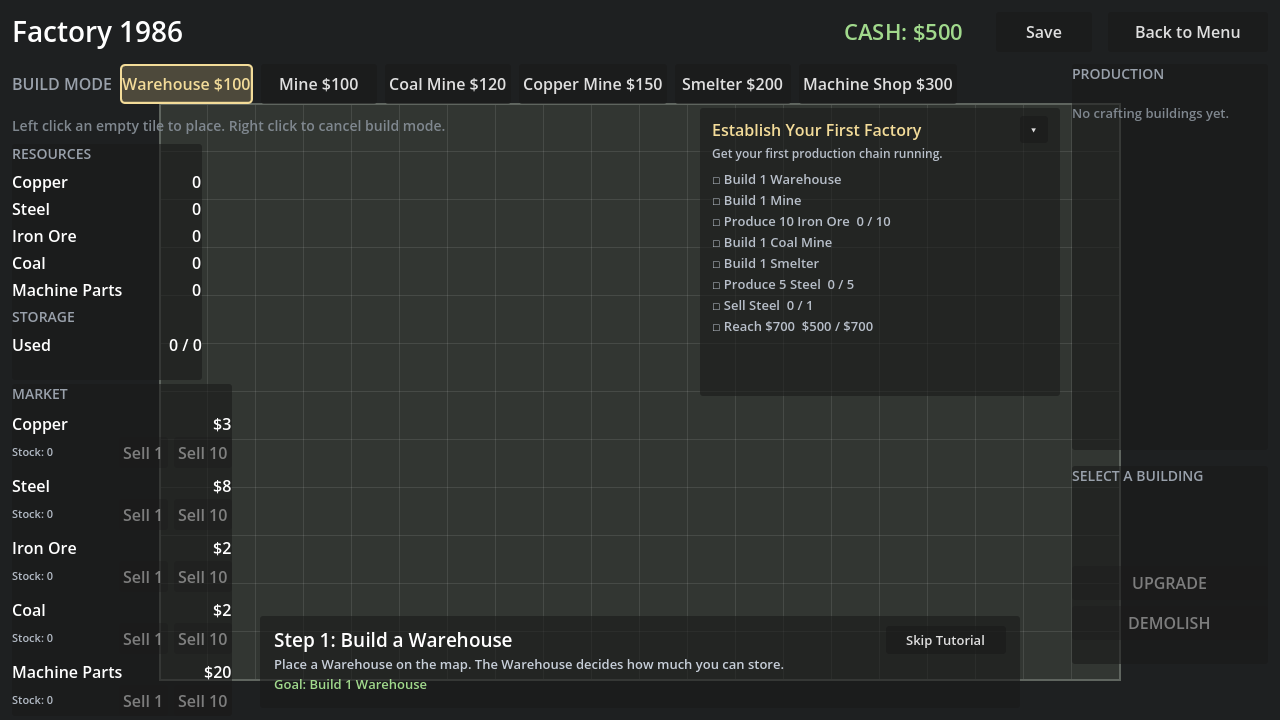
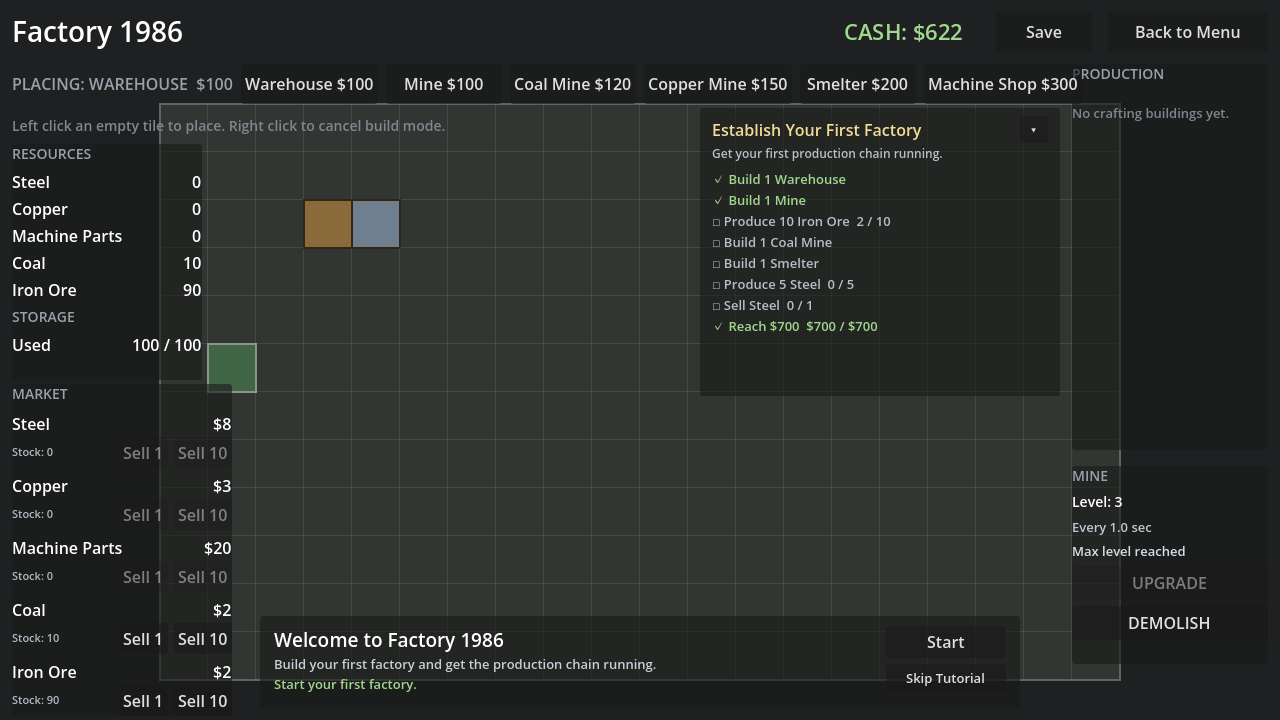
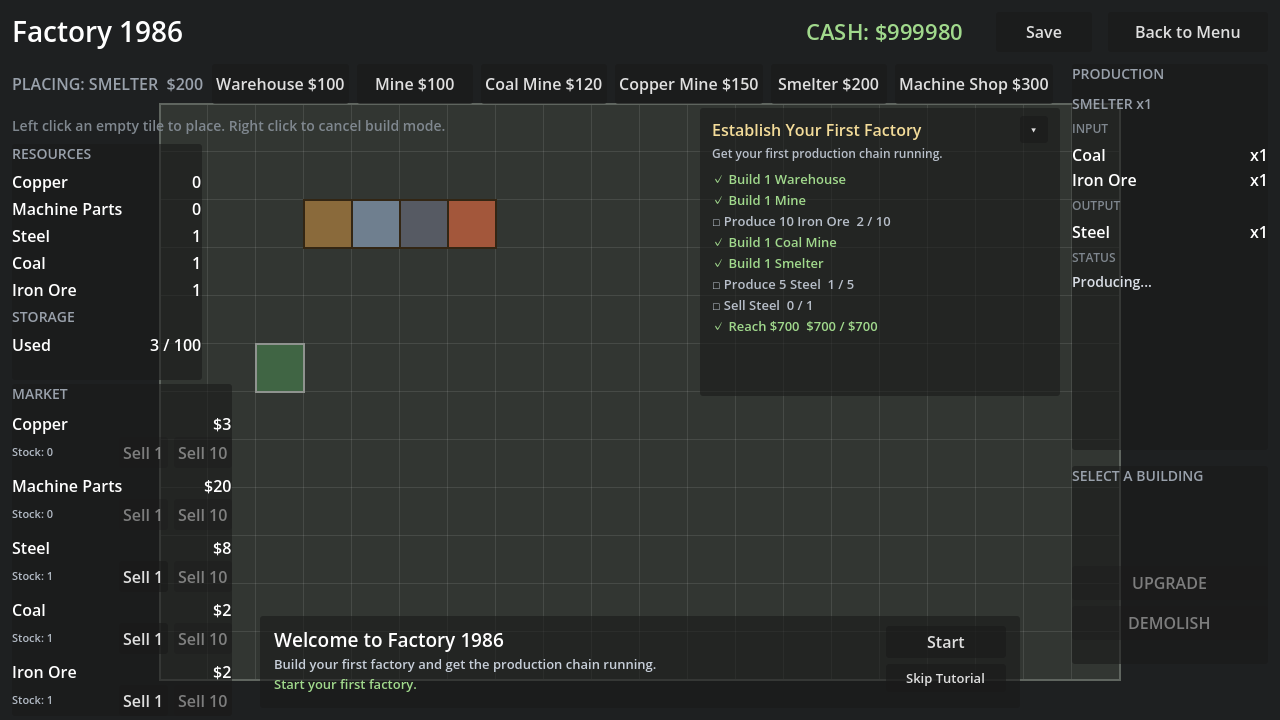
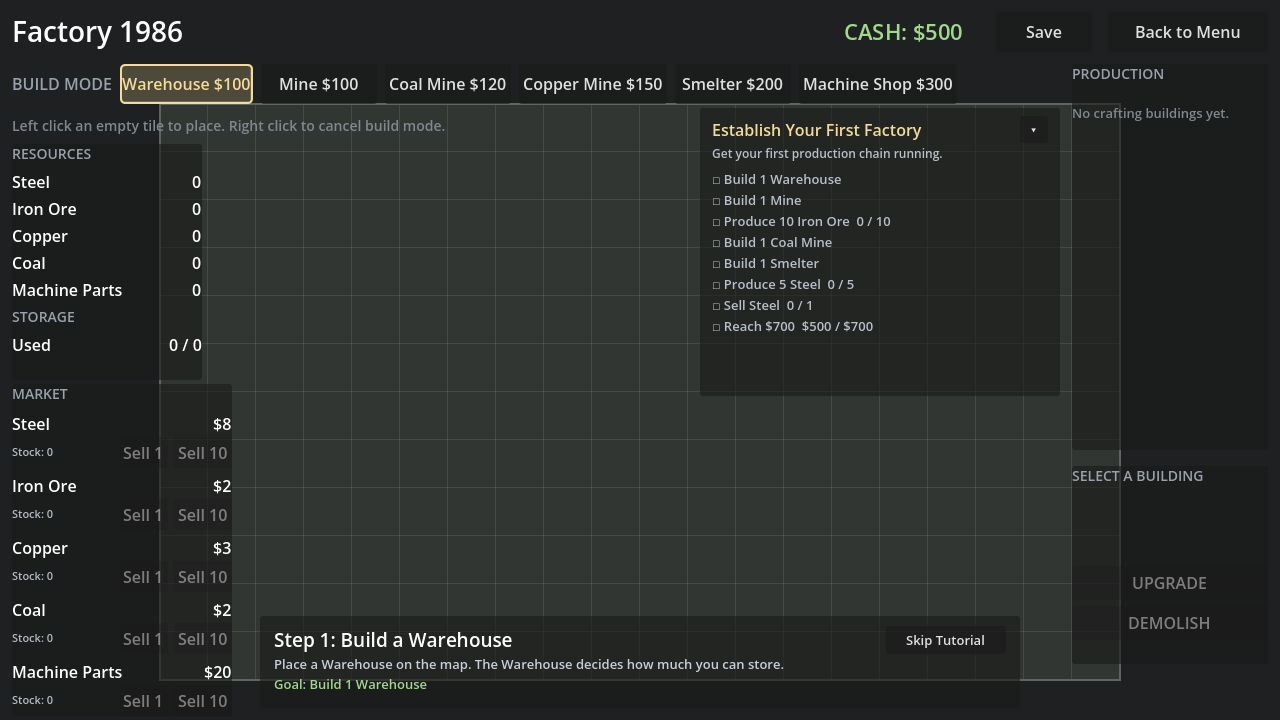
You start with $500, an empty grid, and one question: what do I build first? A Warehouse gives you somewhere to put things. A Mine starts feeding Iron Ore into it. A Coal Mine supplies the second half of the recipe, and the Smelter turns both into Steel you can sell. Every step is visible: the resource panel counts what you own, the production panel tells you whether a machine is running, waiting for input, or blocked because storage is full, and the cash label updates the moment a sale lands.
Nothing here is a spreadsheet. The whole game is one screen: a grid, a build bar, and a handful of panels that only tell you what you need to know. When you want more throughput you upgrade a machine in place and watch its timer get shorter. When you want to change your layout you demolish a building and get half its cost back, keeping everything that was in storage.
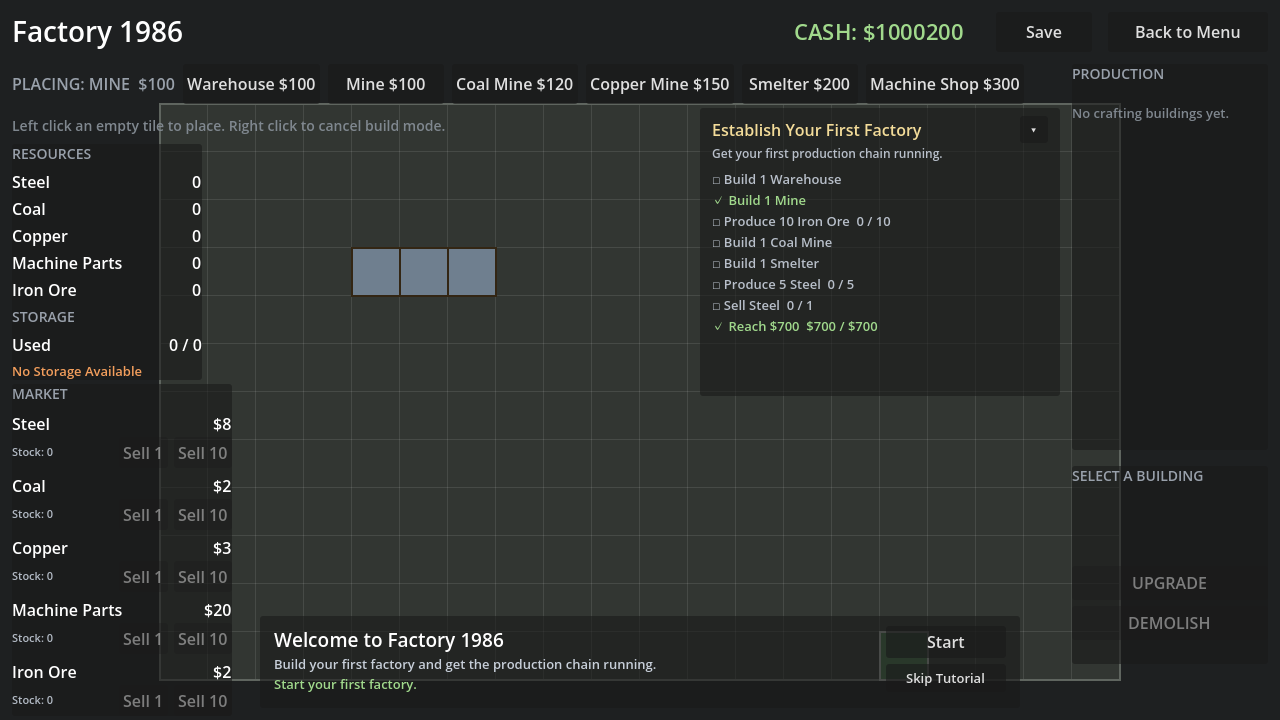
To make the first session approachable, a lightweight tutorial banner names what to do next and highlights the matching build button, while a Stage 1 checklist on the right records what you have accomplished. Neither one locks you in: skip the tutorial at any time, and the checklist just counts.
Your factory can be saved and continued at any point, so a session does not have to be finished in one sitting.
Core gameplay
- Place and manage buildings on a 20x12 grid, with clear feedback on where a building may go. - Run a production chain: Iron Ore and Coal go in, Steel comes out. - Share one storage pool: Warehouses provide capacity, and every resource competes for the same space. When it fills, production pauses and says so — and a sale frees the space again immediately. - Sell at the market for data-driven prices and turn stock back into cash. - Upgrade machines to shorten their cycle time, or demolish them for a 50% refund. - Follow the first-stage objectives to learn the loop, or ignore them and build your own way. - Save and continue at any time.
Implemented today
Everything in this list is in the build and exercised by automated tests:
- 20x12 build grid with occupied/out-of-bounds feedback
- Buildings: Warehouse, Mine, Coal Mine, Copper Mine, Smelter, Machine Shop
- Resources: Iron Ore, Coal, Copper, Steel, Machine Parts
- Two crafting recipes: Iron Ore + Coal -> Steel, Steel + Copper -> Machine Parts
- Shared storage capacity with a full-warehouse pause and resume
- Cash, market selling, building costs
- Building upgrades (Mine / Smelter / Machine Shop speed tiers)
- Demolition with a 50% refund
- Beginner tutorial with skip and reset
- Stage 1 objective checklist
- Save / Load / Continue (single slot, versioned save)
- Master volume and fullscreen settings
Controls
- Left click a build-bar button to pick a building, then left click an empty tile to place it. - Right click cancels build mode. - Left click a placed building (with nothing selected) to open its upgrade and demolish panel. - SAVE in the top bar writes your session; BACK TO MENU saves and returns. - Tab / Shift+Tab cycle the focusable controls; Enter or Space activates the focused one. - The main menu and the settings screen respond to the arrow keys. - Escape cancels build mode, and closes the demolish confirmation while it is open.
Current version and playtest status
- Version 0.0.18 (see docs/CHANGELOG.md). - This is an early playable build, not a finished game. - The first stage has been measured across three full playthroughs at roughly 4 to 5 minutes each, with no dead ends: see docs/GOAL_SYSTEM.md. - Automated coverage: 39 headless tests plus windowed input, keyboard-access and production timing tests. - An exported Windows build exists and has been run. build/windows/Factory1986.exe starts from a directory containing only that file, and its menu, building placement, production, market, save/continue, settings persistence and clean exit were all driven and checked. The environment report and the exact list of what was and was not verified are in docs/EXPORT_DIAGNOSTICS.md. - The first stage was played to completion in that build, start to finish, with real mouse clicks and no debug aids: 389 seconds, 34/34 checks, including a Save / quit / relaunch / Continue round trip. tests/exported_stage1_test.md has the numbers. - Nobody outside the project has played it yet. An external playtest is scheduled but not done, so there is no evidence here about how a stranger reads this screen. Say so rather than implying otherwise.
Early playable build. The first stage is complete and internally verified on Windows, but it has not yet been playtested by anyone outside the project. Expect rough edges; feedback is welcome.
Known limitations
- Windows only. There is a verified Windows build; no other platform has been exported or tested. - Not yet distributed. The build is on disk and has not been uploaded anywhere; there is no public download yet. - In-game art is placeholder. Buildings are flat colored rectangles. There is no audio at all. (The application icon and the store art are real, and are drawn from the same palette as the game — see docs/store_assets/.) - One save slot. You cannot keep two factories at once. - No tutorial skip-back. Once finished, the tutorial returns only through Settings -> Reset Tutorial. - Only one stage. Stage 1 is the whole objective system for now. - The economy is deliberately small: no dynamic prices, no market pressure.
Not implemented (do not expect these)
Power, transport or logistics, workers, a technology tree, random events, quests, multiple save slots, cloud saves, dynamic market pricing, Steam features, achievements, localization, controller support, or a second stage.
Download
Click download now to get access to the following files:
Leave a comment
Log in with itch.io to leave a comment.